

Setting Up Integrations
Forensic Email Intelligence (FEI) supports several external API integrations to enable IP address, domain, URL, and email address intelligence. The integrations are optional—if you do not configure them, those options will simply be unavailable.
You can access the Integration Settings page within FEI’s Settings View via the ⚙️ Settings icon on the Startup Page or in FEI Viewer.
MaxMind
Section titled “MaxMind”FEI uses the GeoIP2 Precision Services from MaxMind. You can obtain an API key for this service below:
https://www.maxmind.com/en/geoip2-precision-insights
Once you create your account and purchase credits, visit the Account > License Keys page and create a new license key for FEI. You will need to supply your Account/User ID (an integer value found on the License Keys page) as well as your license key to activate the integration.
Azure Maps
Section titled “Azure Maps”When the MaxMind integration is enabled and IP Intelligence View is launched, FEI utilizes the Azure Maps service to display maps. FEI uses its own built-in Azure Maps credentials rather than a user-supplied API key. The information passed to Azure Maps to retrieve map tiles is geographical coordinates, not IP addresses.
SecurityTrails
Section titled “SecurityTrails”FEI uses SecurityTrails API for historical mail exchanger (MX) records as well as subdomain lookups. You can set up an account with SecurityTrails below:
https://securitytrails.com/corp/pricing#api
Once you create an account, visit the API > API Keys menu and click the Create New API Key button to create an API key for FEI. You will need to supply this API key to FEI to activate the SecurityTrails integration.
EmailRep by Sublime Security
Section titled “EmailRep by Sublime Security”FEI uses this API for the enrichment of email addresses. You can create an account below:
urlscan by urlscan GmbH
Section titled “urlscan by urlscan GmbH”FEI uses urlscan to get intelligence data on URLs. You can create an account with urlscan below:
https://urlscan.io/user/signup
Once you create your account, visit the User > Settings & API > API Keys section (direct link) and click the +Create new API key button to create an API key for FEI.
VirusTotal
Section titled “VirusTotal”FEI uses this API for the enrichment of email attachments. You can create an account below:
https://www.virustotal.com/gui/join-us
By default, performing a VirusTotal scan with FEI causes FEI to hash the attachment, and then search the attachment hash in VirusTotal’s database without uploading the attachment contents to VirusTotal.
An additional option is provided which controls whether VirusTotal uploads are available.
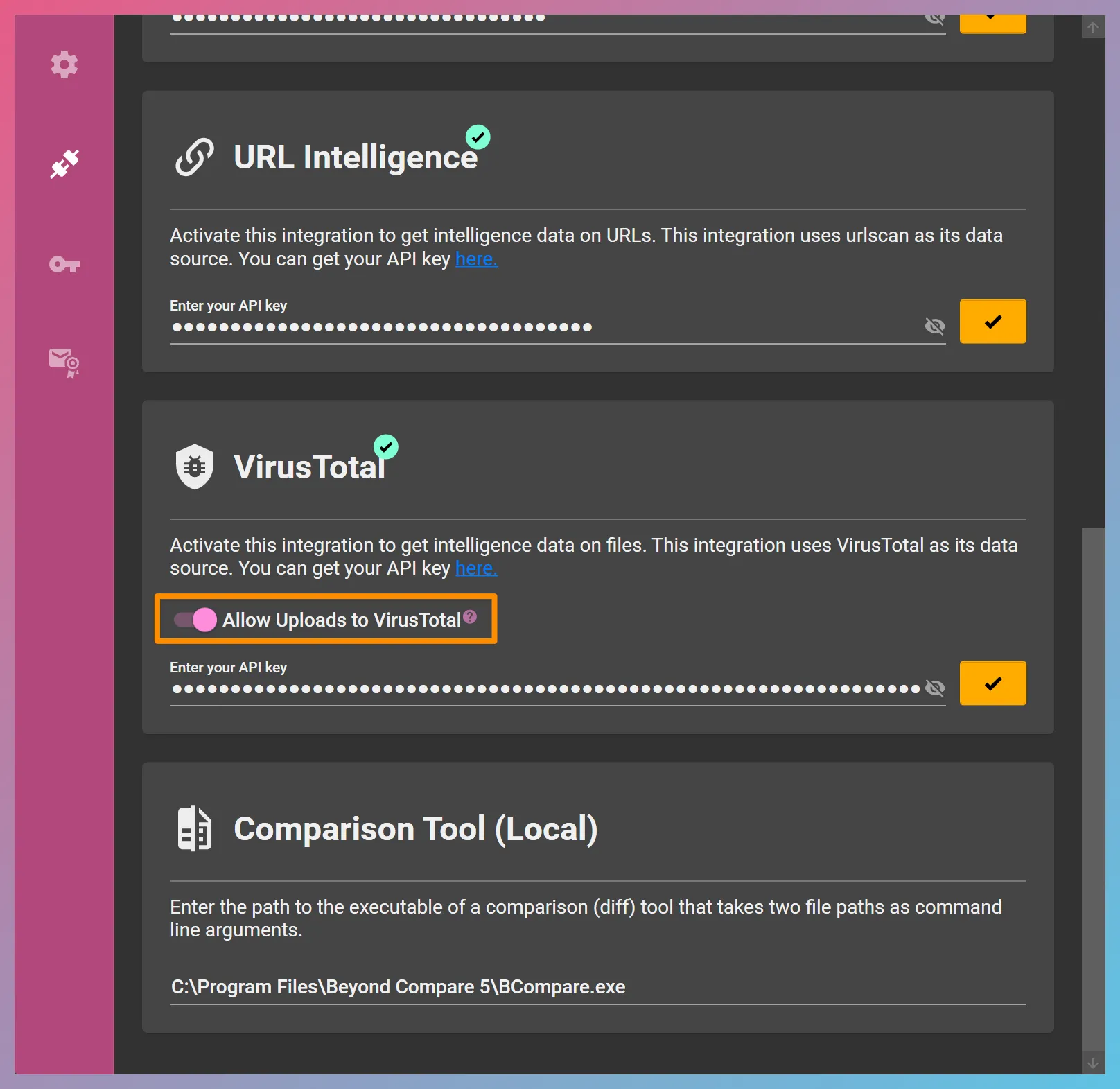
When activated (as in the screenshot above), FEI displays an upload button if an attachment’s hash is not found in VirusTotal’s database. Pressing the Upload to VT button results in the attachment’s contents’ being uploaded to VirusTotal for analysis.
Comparison Tool (Local)
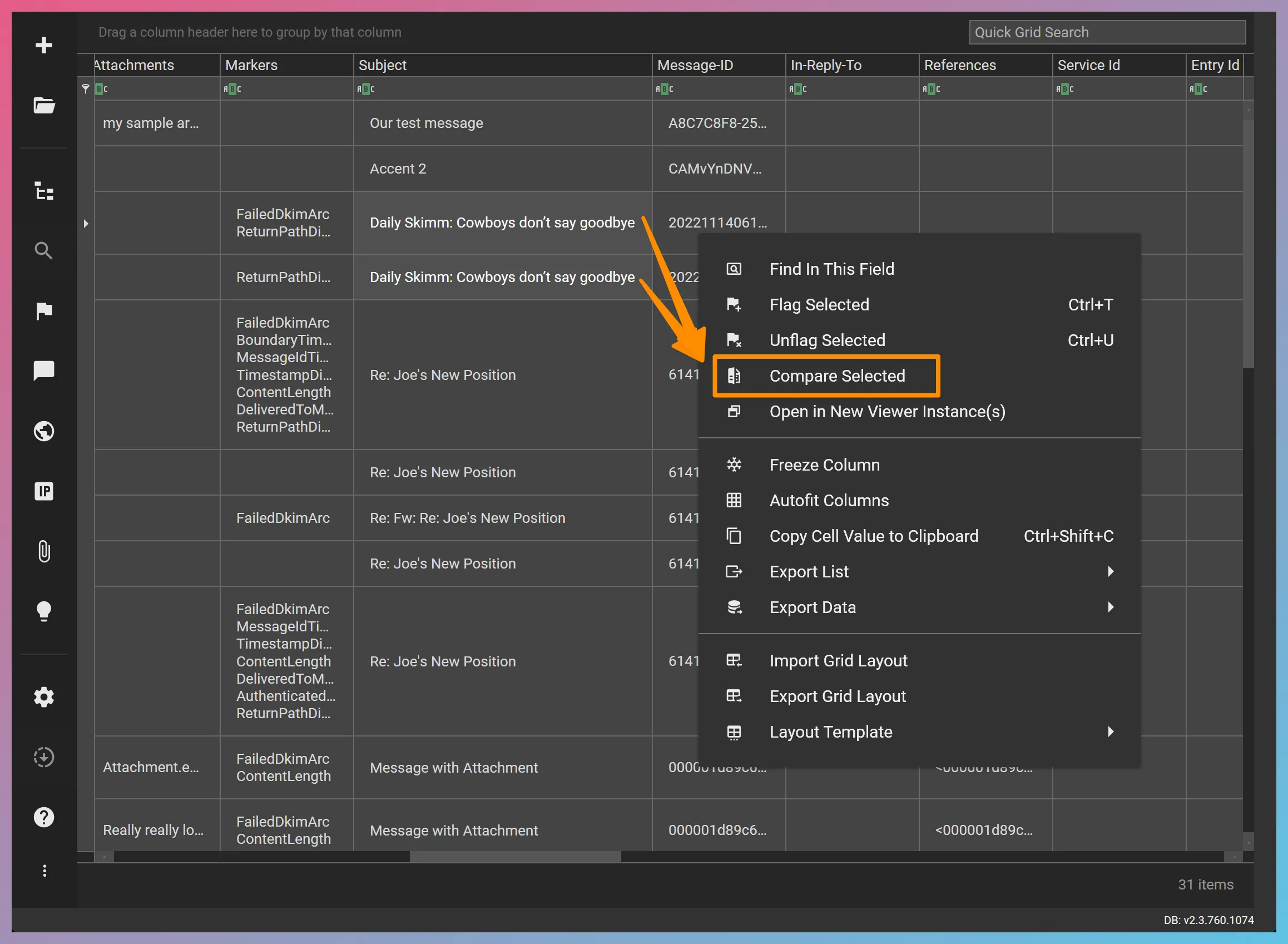
Section titled “Comparison Tool (Local)”The local diff tool integration allows FEI to launch two files side by side in the external diff tool for comparative analysis. You can activate this integration by specifying the file path to the executable of a locally-installed comparison (diff) tool such as Beyond Compare. The diff tool should accept two command-line arguments as the full paths of the files to be compared.
Once this integration is activated, an additional context menu item will be enabled in the Evidence Grid that appears as follows:
External APIs and Data Privacy
Section titled “External APIs and Data Privacy”When you choose to enrich a data point such as an IP address, domain name, URL, or email address via FEI, FEI sends that specific data point to the corresponding API and gets an API response. It does not send the entirety of the email message where the data point was found. In our experience, querying IP addresses, domain names, URLs, or email addresses against external APIs does not typically raise privacy concerns. If your case requires that these data points be kept secret, consider disabling the corresponding API integrations in FEI.
When Is External API Enrichment Performed?
Section titled “When Is External API Enrichment Performed?”FEI performs enrichment operations when you specifically click on a data point and initiate a query in FEI Viewer. External enrichments are not triggered when FEI automatically ingests, extracts, and scores multiple documents in a batch process through ingestion.
Caching
Section titled “Caching”FEI caches external enrichment results when reasonably feasible to prevent querying the same data point multiple times within a short time window and expending API credits unnecessarily. Query results contain an indicator that shows when the live data was retrieved from the corresponding API.