S/MIME and OpenPGP Decryption and Signature Verification
Forensic Email Intelligence (FEI) supports S/MIME and OpenPGP decryption and signature verification for MIME messages and S/MIME decryption and signature verification for MAPI messages. You can add the necessary certificates for decryption through FEI’s Certificate Settings page as follows:
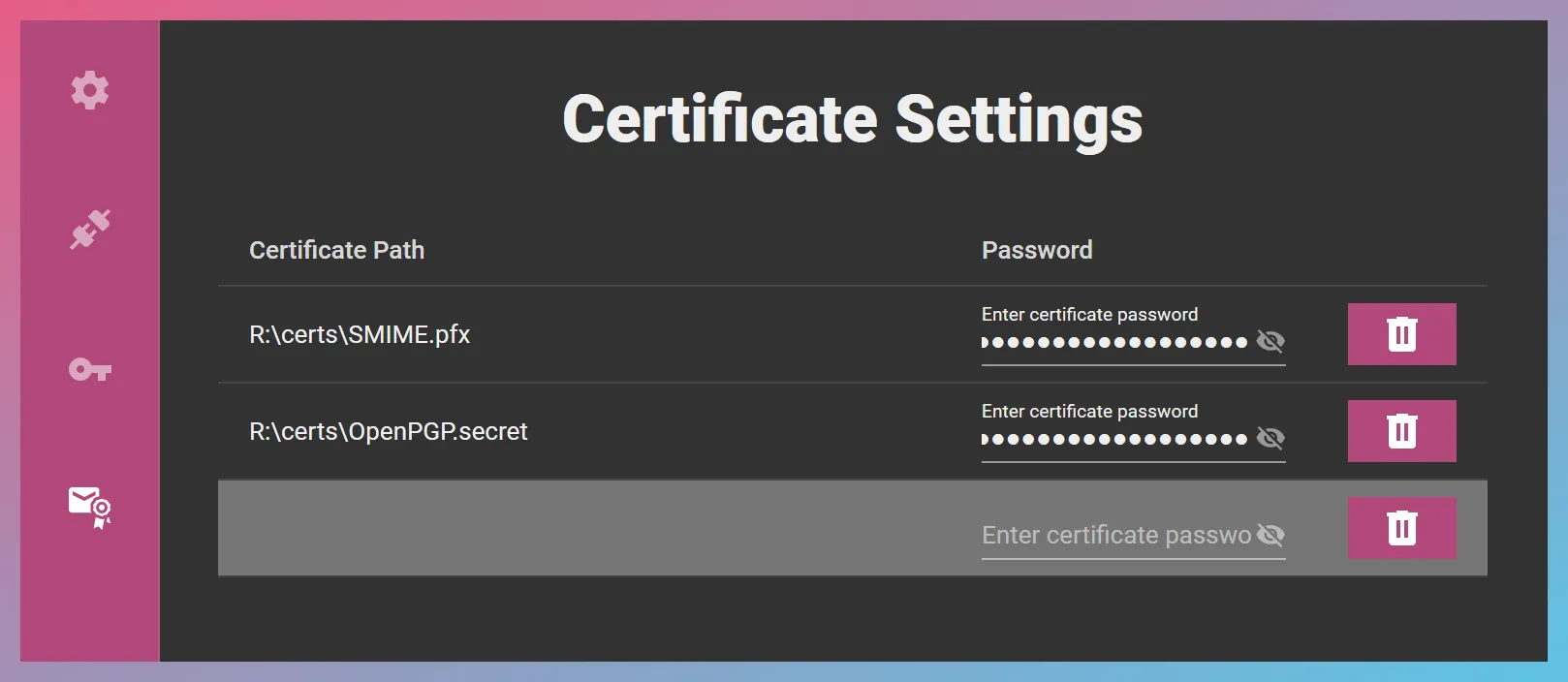
Certificate Path: This is the full path to the S/MIME certificate or OpenPGP key file. The path should remain valid while you use FEI. In other words, do not delete or move the referenced certificate or key file after ingestion is complete.
Password: Certificate password if needed.
S/MIME
Section titled “S/MIME”You can add S/MIME certificates in PKCS #12 (.pfx or .p12) or DER format (.cer). It is important that the file extension strictly match the intended format.
OpenPGP
Section titled “OpenPGP”When importing OpenPGP public or secret keys, please use the .public or .secret file extension to indicate the type of key. For example, OpenPGP_key.secret would be interpreted as a secret key.
OpenPGP secret keys start with the string -----BEGIN PGP PRIVATE KEY BLOCK----- while public keys start with the string -----BEGIN PGP PUBLIC KEY BLOCK-----.
Signature Results
Section titled “Signature Results”You can review the signature results in the Signature Results view in FEI Viewer as in the following example:
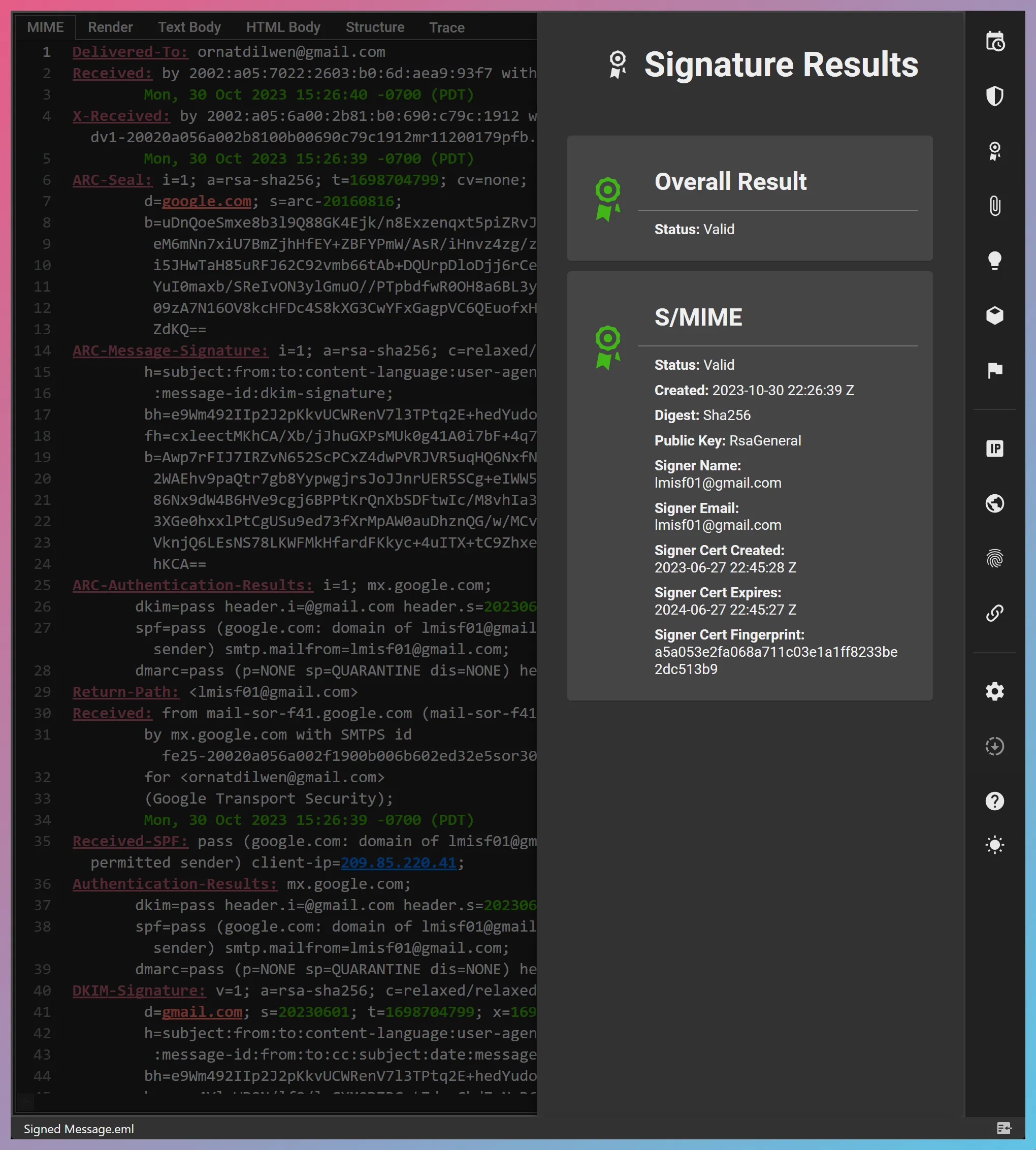
Signature verification and decryption results are also included in FEI’s Insights, and signature certificate timestamps are taken into account in FEI’s Timestamps View, timeline exports, Insights, and scoring.
Exporting Encrypted Items
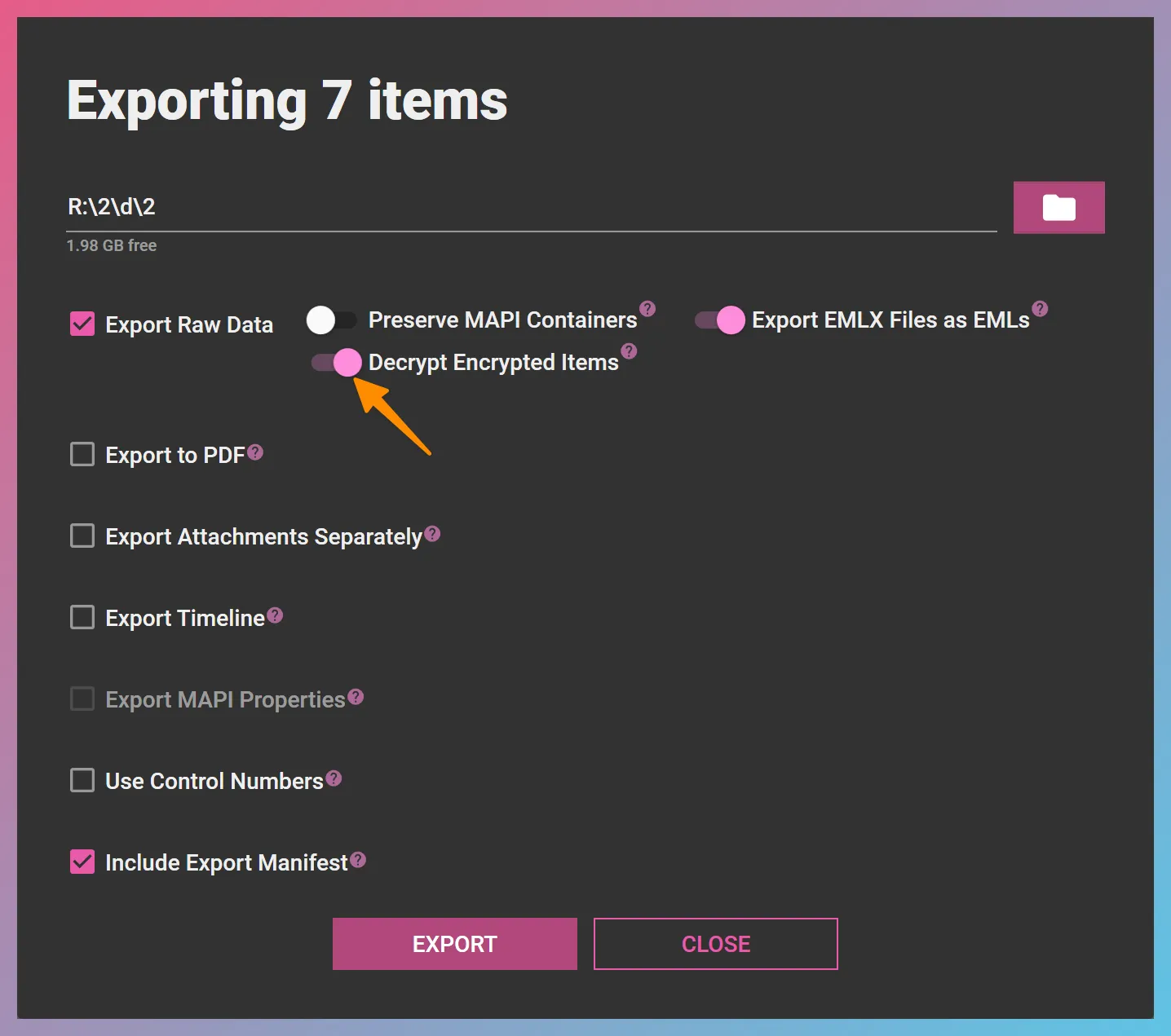
Section titled “Exporting Encrypted Items”The Decrypt Encrypted Items option in FEI’s export dialog controls whether encrypted items should be exported in their original form or in decrypted form.