

Acquiring Gmail History Records
Gmail History Records provide activity information associated with a mailbox such as the labels that were added or removed, and the messages that were added or deleted. The records can often be used to make inferences about user activity in the mailbox such as when a message of interest was deleted, if an email was read and subsequently marked as “unread”, etc.
You can read more about History Record analysis here:
Gmail History Records in Forensic Email Investigations
Accessing history records requires a starting history ID. You can acquire history records using Forensic Email Collector (FEC) as follows:
-
Configure a Gmail API acquisition.
-
Enter the In-place Search interface.
-
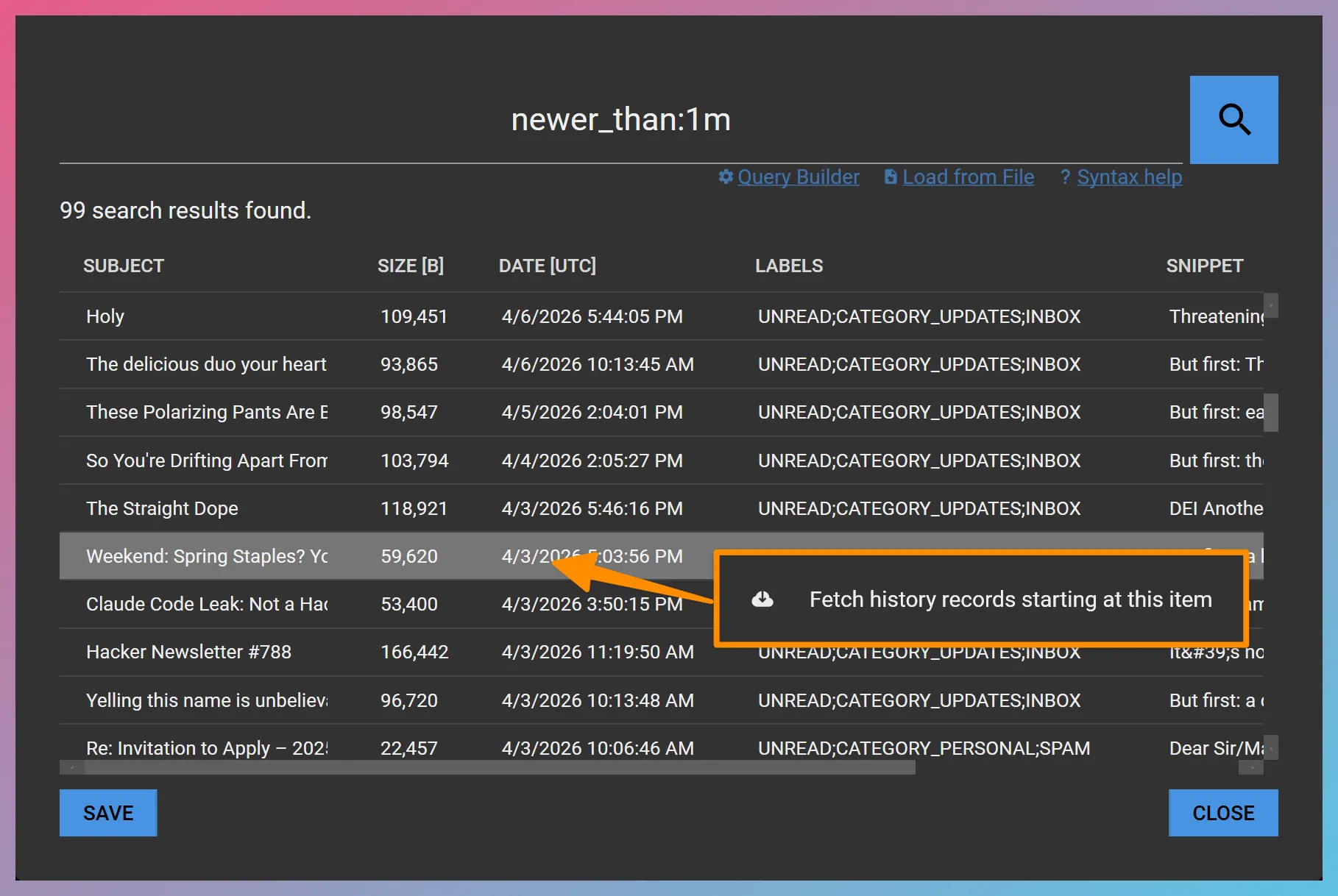
Run a search preview. Based on Google’s documentation, history records do not last very long. You can, for instance, run a search along the lines of
newer_than:1mto pick a starting point within the last month. -
Right-click on a search result of your choice and choose the Fetch history records starting at this item context menu item.
-
FEC will proceed to acquire the History Records and ask you for a folder where the output should be written. Once you select the folder, FEC will export a report that contains the History Records starting at the history ID of the item you selected.