

In-place Search for Microsoft Exchange
When preserving a Microsoft 365 (M365) or Exchange mailbox using Exchange Web Services (EWS), it is possible to perform In-place Searches to narrow down the data set using Forensic Email Collector (FEC).
You can launch the In-place Search interface for Exchange by clicking the In-place Search link as shown below:
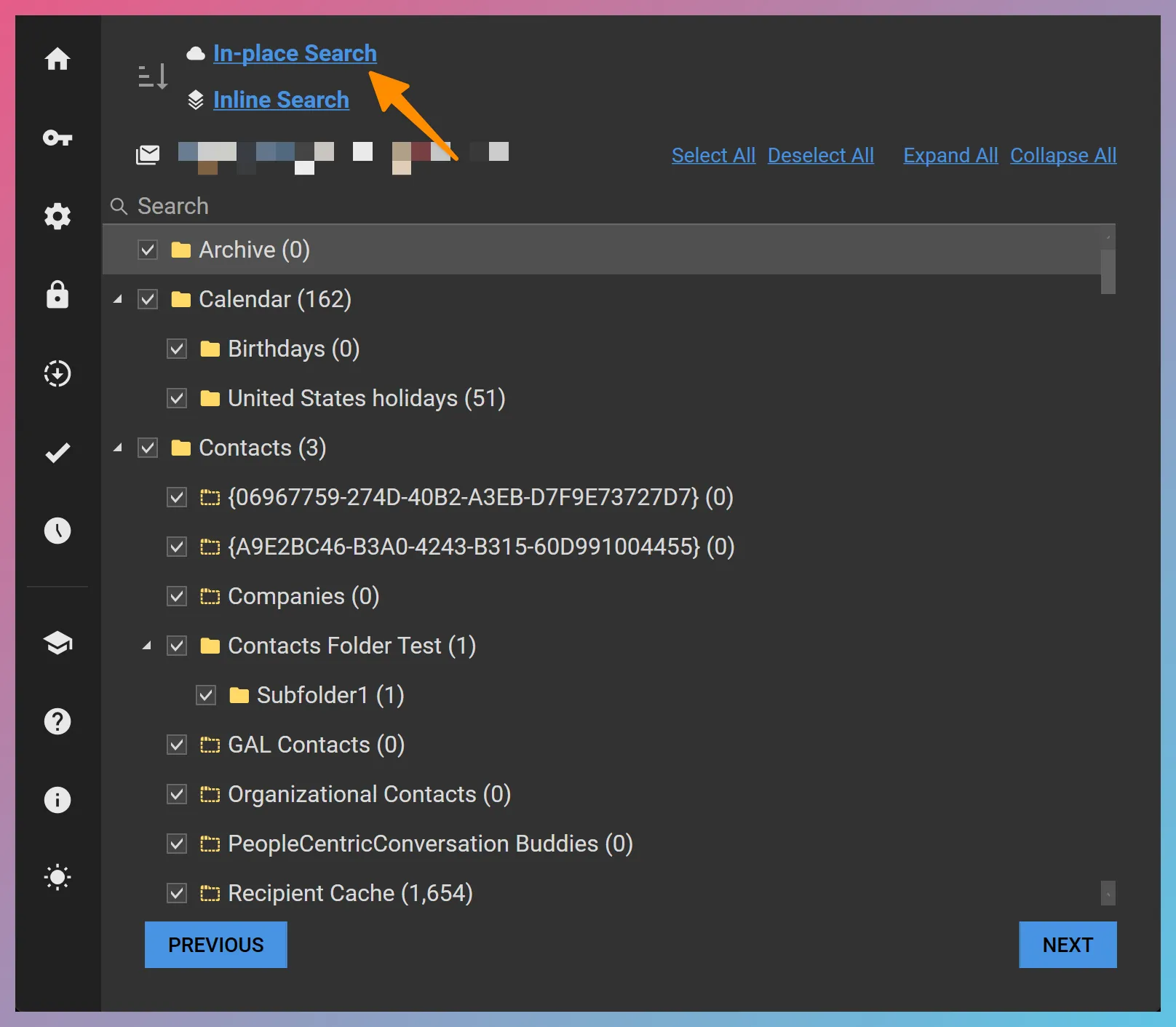
FEC’s In-place Search allows you to execute your search query on the server and preview the search results. The search syntax is identical to Advanced Query Syntax (AQS). The accuracy of the search results is dependent on the capabilities of the Exchange server executing the search.
What You Can Search For
Section titled “What You Can Search For”You can run AQS searches for a keyword without specifying a property. This would result in all indexed properties being searched for that keyword.
Example: contract
You can also specify the property to be searched by including the property name as a keyword.
Example: subject:contract
Supported AQS keywords are as follows:
| Keyword | Value type | Example |
|---|---|---|
| subject | String | subject:contract |
| body | String | body:contract dispute |
| attachment | String | attachment:report |
| to | String | to:"John Doe" |
| from | String | from:brown |
| cc | String | cc:"Jane Doe" |
| bcc | String | bcc:daniel |
| participants | String | participants:jack |
| category | String | category:project |
| importance | String | importance:high |
| kind | Item type | kind:meetings |
| sent | Date | sent:11/30/2015 |
| received | Date | received:yesterday |
| hasattachment | Boolean | hasattachment:true |
| isflagged | Boolean | isflagged:true |
| isread | Boolean | isread:false |
| size | Number | size:>4000 |
String Searches
Section titled “String Searches”IMPORTANT By default, a string value is searched as a case-insensitive prefix substring search. For example, searching for subject:contract would match any of the following subjects:
- Contract dispute
- How to deal with severe contractions
If you enclose the value in quotes, the entire word would be required rather than matching prefixes. So, searching for subject:"contract" would not match the second subject containing the word “contractions”.
Including multiple words in a query string would require all of the words to be present in the search fields. For example, searching for subject:contract dispute would match any of the following subjects:
- Contract dispute
- Disputed contracts
Finally, enclosing the query string in quotes causes multiple words to be treated as a phrase. So, if you search for subject:"contract dispute", only the first subject above would be matched.
Date Searches
Section titled “Date Searches”You can search for specific dates in mm/dd/yyyy format.
Example: received:12/21/2016
You can also use the greater than, less than, and range operators as follows:
received:>7/30/2016sent:<=11/9/2011received:8/21/2015..9/7/2016Boolean Operators
Section titled “Boolean Operators”The following Boolean operators are supported:
| Operator | Examples |
|---|---|
| AND | contract AND from:"Jack Daniels"subject:(contract AND dispute) |
| OR | subject:contract OR from:"Jane Doe"from:("Jack Daniels" OR "John Doe") |
| NOT | NOT from:"Jane Doe"received:NOT today |
Saving and Clearing the Search Query
Section titled “Saving and Clearing the Search Query”Once you have finalized your search query, you can save it by using the SAVE button. This will close the In-place Search window and activate your query. If you would like to clear the search query, you can click on the small 🗑️ symbol next to the Search Query Activated text.