

How to Find The Exchange Web Services (EWS) URL
When connecting to a M365 mailbox, Forensic Email Collector (FEC) automatically determines the EWS URL. However, if you are connecting to an on-premises Exchange server or an Exchange server hosted by another provider, you will need the EWS URL.
The EWS URL looks something along these lines:
https://mail.domain.com/EWS/Exchange.asmx
You can use several methods to find the EWS URL:
1. Using Exchange Autodiscover
Section titled “1. Using Exchange Autodiscover”FEC has built-in support for Exchange Autodiscover. You can use Autodiscover by entering the username and password, and then by clicking on the Autodiscover hyperlink. FEC will attempt to discover both the EWS URL and the target Exchange server version.
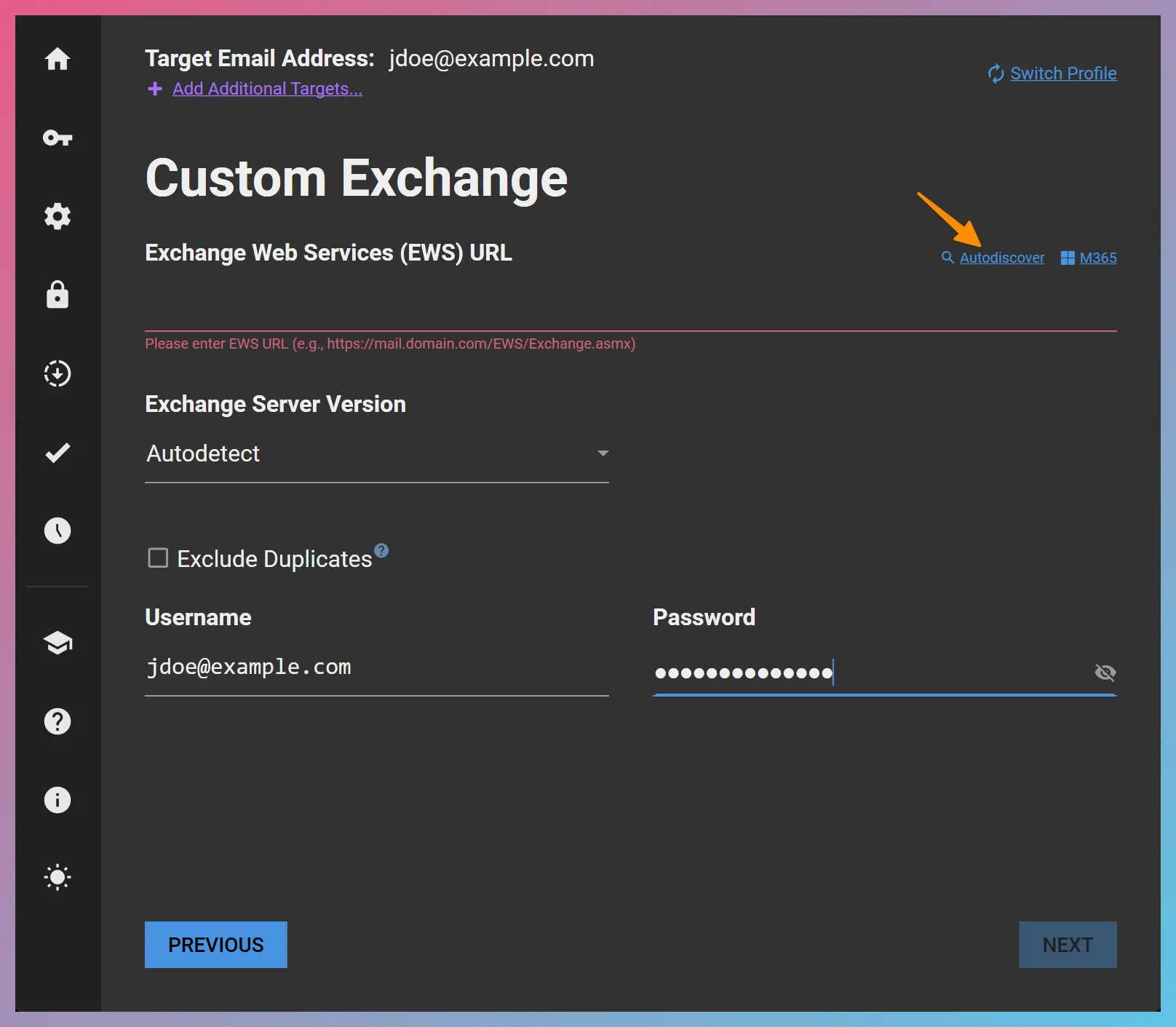
Please note that using the Autodiscover service requires the DNS records of the target domain to have been configured for Autodiscover.
Alternatively, you can also use Autodiscover by
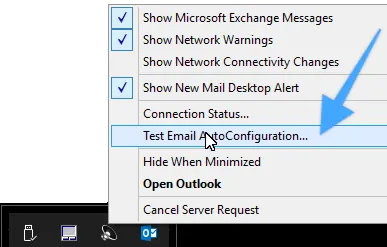
In the Test Email AutoConfiguration tool, enter the target email address and password, and click the
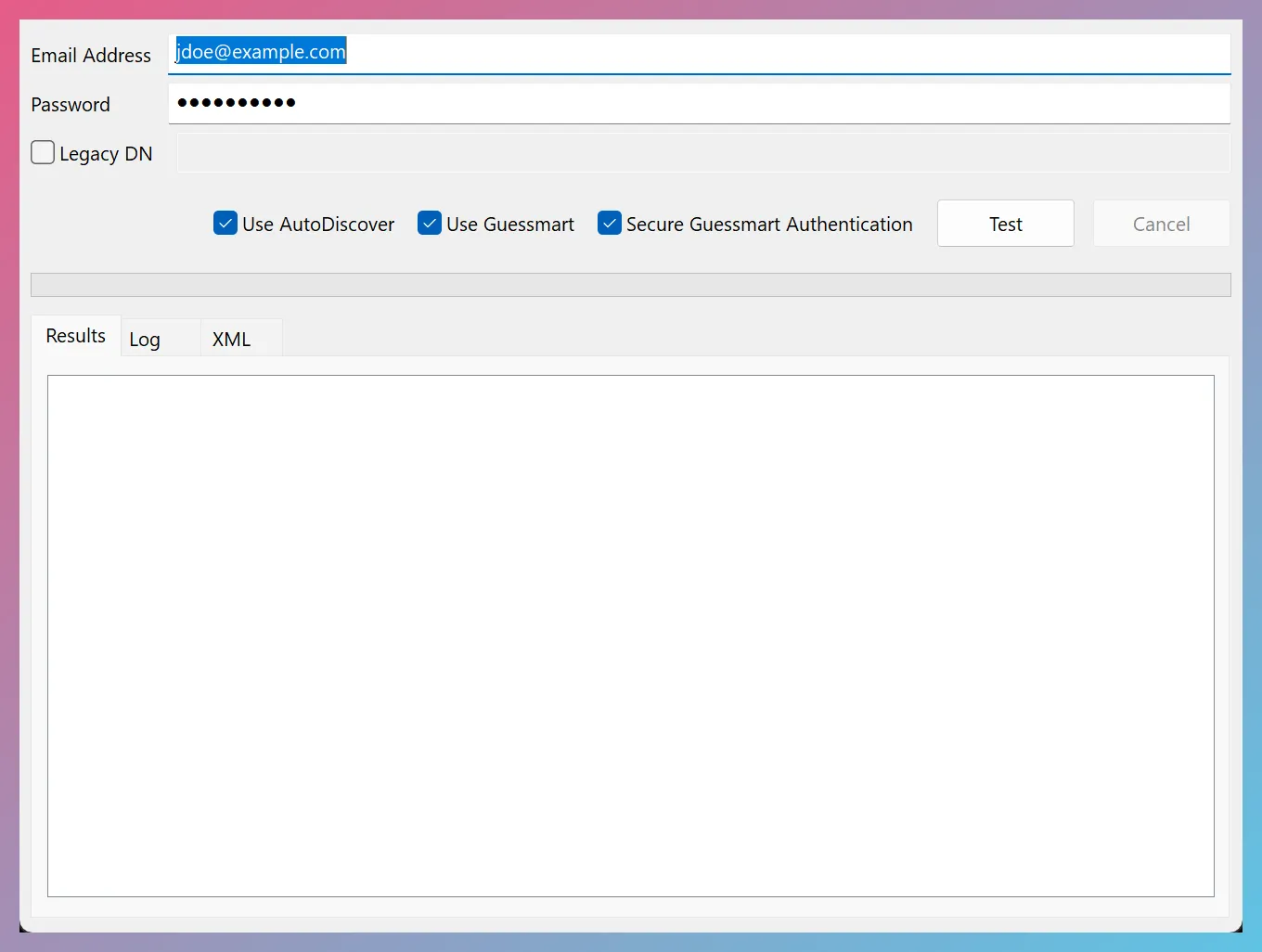
The tool will perform Autodiscover and report the EWS endpoint URL if available.
2. Using Internal Resources
Section titled “2. Using Internal Resources”Typically, the IT representative that manages the Exchange server should be able to provide you with the EWS URL.
3. Using Exchange Management Shell
Section titled “3. Using Exchange Management Shell”Another alternative is to open Exchange Management Shell on the Exchange server and to use the Get-WebServicesVirtualDirectory Cmdlet as follows:
Get-WebServicesVirtualDirectory | Select name, *url* | fl4. Using A Previously-Configured Account
Section titled “4. Using A Previously-Configured Account”If available, you can also use an account already configured in an email client to find out what the EWS URL is. For example, opening the account settings in Outlook for Mac, an account set up using EWS looks as follows:
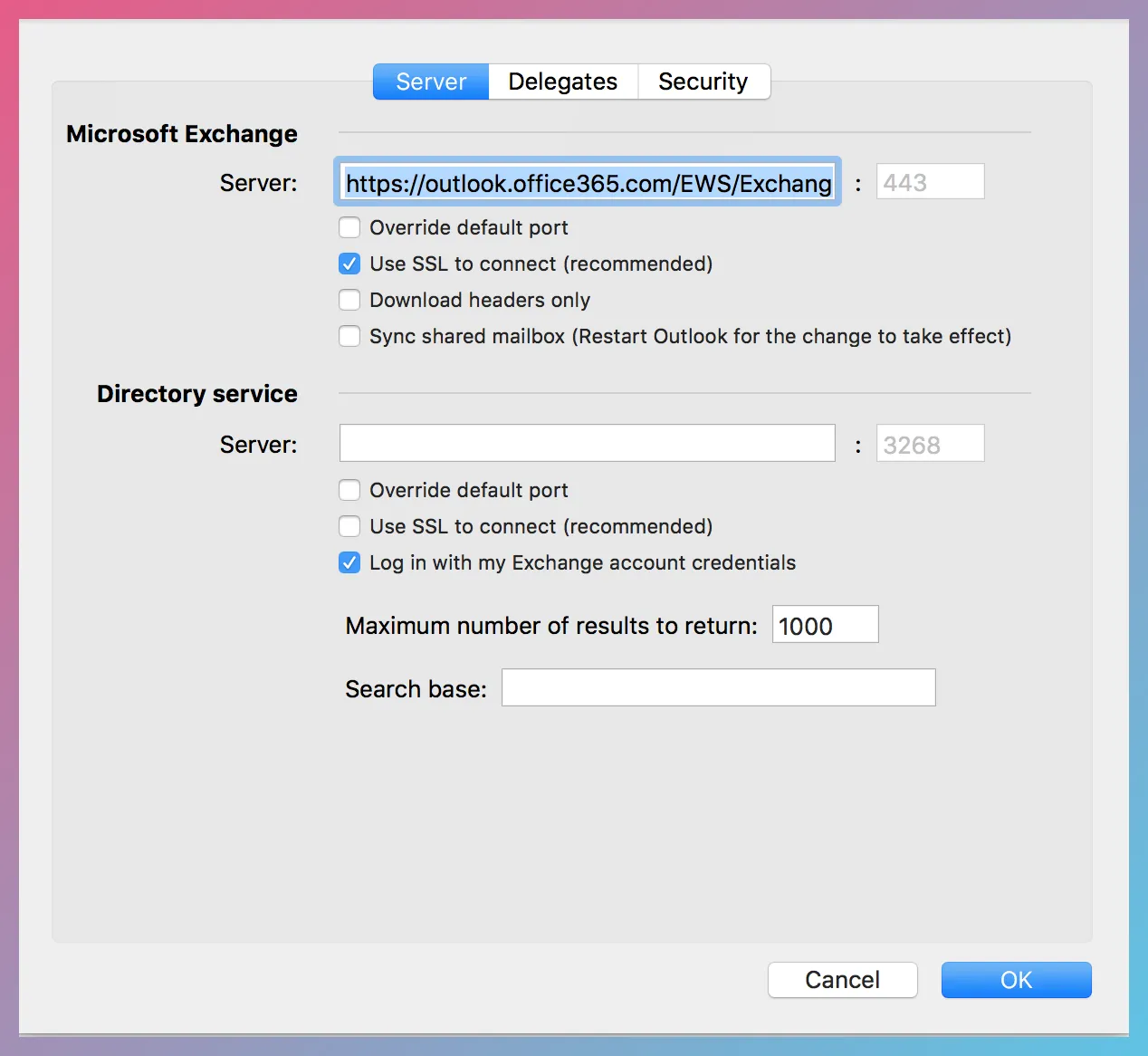
The Server textbox above contains the EWS URL for this account.
5. Using The Hosted Exchange Provider’s Website
Section titled “5. Using The Hosted Exchange Provider’s Website”Service providers often publish information on their support websites about the EWS URL to help end-users configure their email clients. For example, here is an article from Intermedia:
How Do I Configure Outlook 2016/2019 For Mac To Connect To Exchange Mailbox?
6. Based on Outlook Web App (OWA) URL
Section titled “6. Based on Outlook Web App (OWA) URL”You can often find the EWS URL of an organization based on its OWA URL. For instance, if visiting https://mail.example.com/ redirects to https://mail.example.com/owa/auth/logon.aspx, an educated guess for the EWS URL would be as follows:
https://mail.example.com/EWS/Exchange.asmx