

Acquiring Emails from ProtonMail
ProtonMail allows access to decrypted copies of users’ emails with the ProtonMail IMAP/SMTP Bridge. You can follow the steps below to acquire a ProtonMail mailbox using Forensic Email Collector (FEC):
-
Download and install ProtonMail Bridge as described below:
-
Add the target email account to ProtonMail Bridge as described in the guide above. When you add the target email account to ProtonMail Bridge, ProtonMail Bridge will automatically generate credentials for use in FEC. You will need the generated password in step 5 below.
-
Once ProtonMail Bridge is running and configured, open FEC and enter the target email address.
-
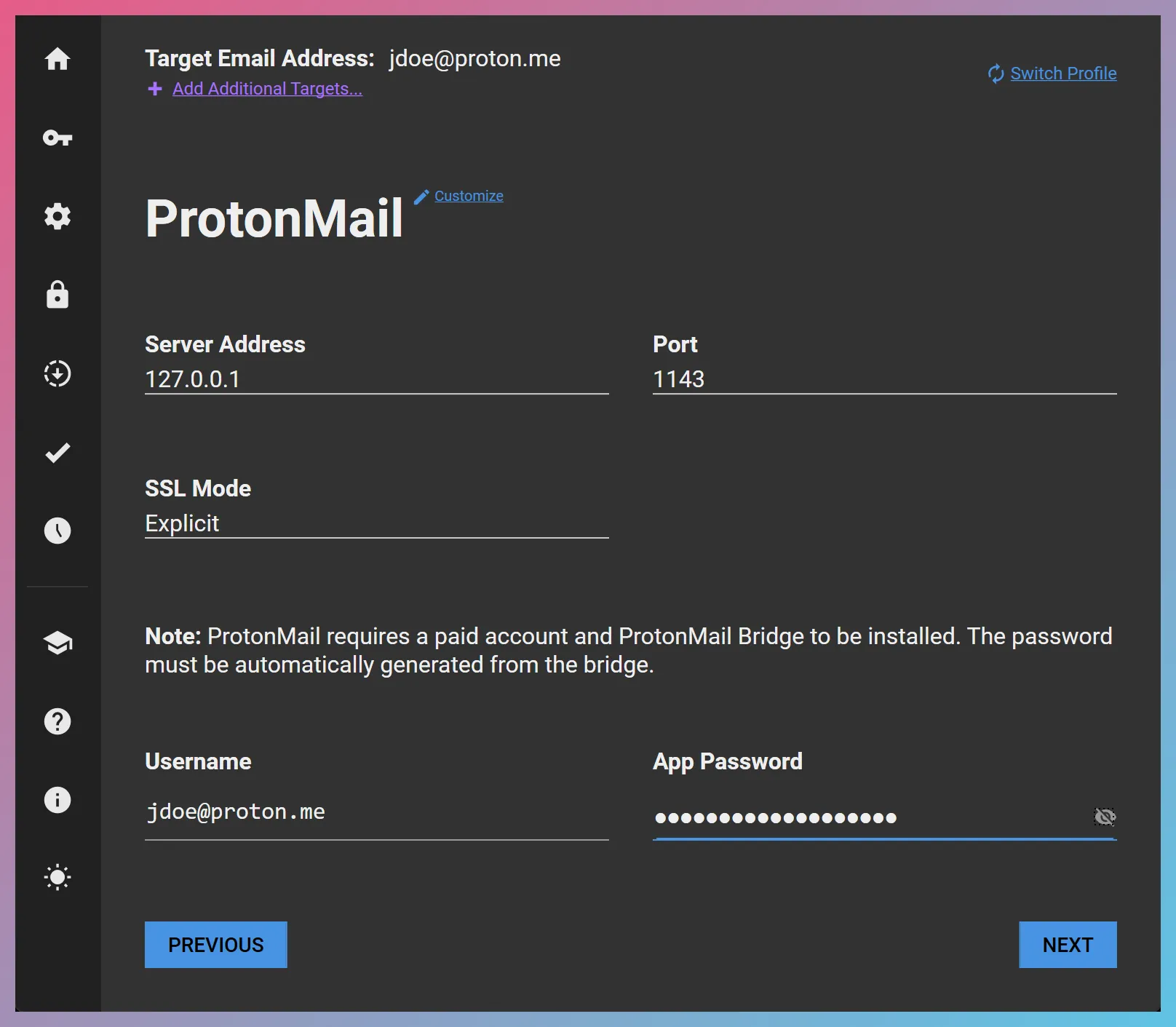
When you click “Next”, FEC will automatically select the ProtonMail acquisition profile as below and populate the server settings.
-
Populate the App Password field in FEC with the password ProtonMail Bridge automatically generated in step 2 above. Important Do not use the main account password.
-
Make sure that the TCP port that ProtonMail Bridge uses (port 1143) is not blocked by a firewall or similar software.
-
Proceed with the acquisition.